The Custom Page Settings module is designed to give you quick control over certain elements of the page you’re currently editing. At the moment, it includes two simple but powerful options: hide the header and hide the footer.
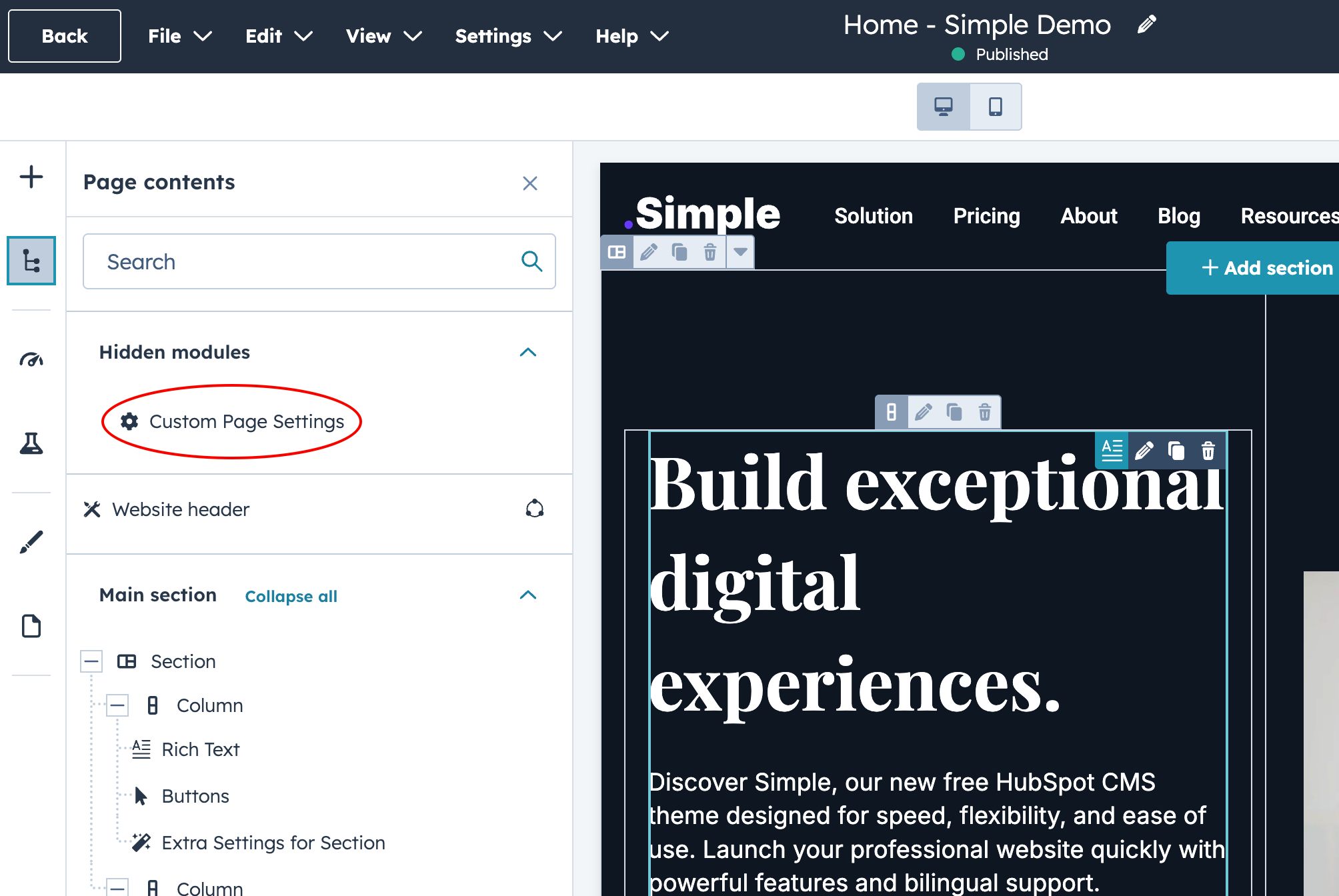
With these settings, any of your existing pages can instantly be transformed into a landing page—without needing to swap templates or create a new one. Simply open the Contents sidebar in the page editor, select Custom Page Settings, and choose whether you want to hide the header, the footer, or both.
This flexibility gives you greater control over how your templates behave and allows you to adapt any page to specific marketing or design needs with just a few clicks.
The module is still evolving, and more options are coming soon—such as making the main navigation transparent, changing the background color of the entire page (without adjusting each section individually), and much more. Stay tuned for updates!
If you have ideas for new features or feel something is missing, we’d love to hear from you. Feel free to reach out!